Writing my polars book
The process and tools used
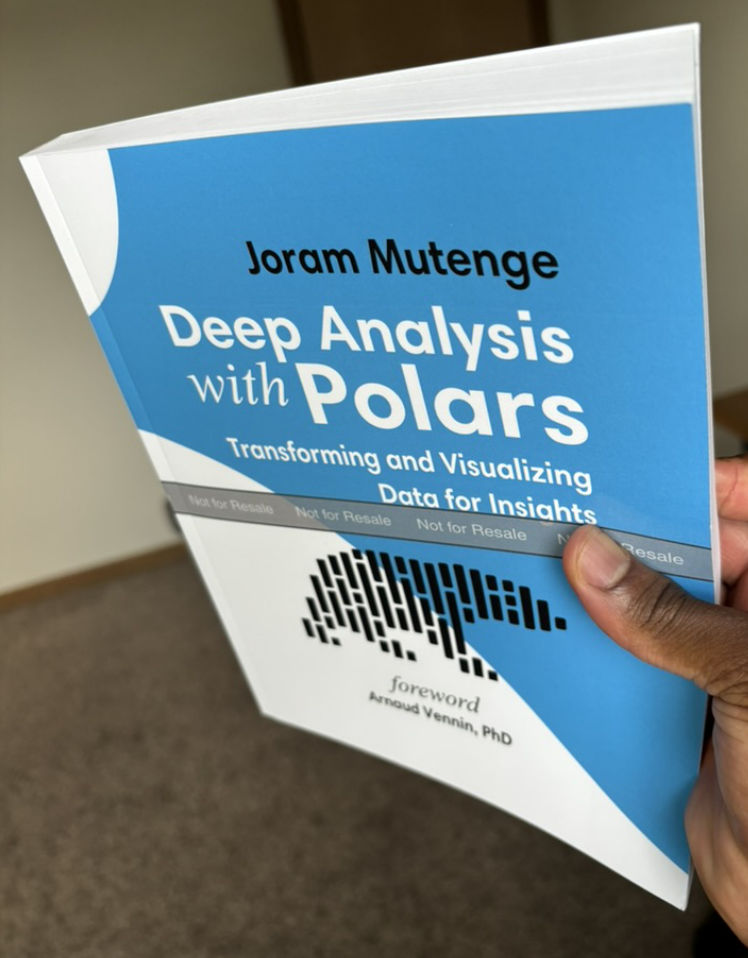
I’ve written a few books under my name, but Deep Analysis with Polars is the first technical book I’ve ever written. Let’s just say I didn’t know what I was getting myself into.
Why I wrote the book
This book is not an introduction to Polars; there are many books about that. Rather, it is intended to demonstrate to readers who are already familiar with Polars that the library is mature enough to support deep analysis, including the kind typically handled with complex SQL queries.
I’ve been using Polars in production for years, and the fact that everything runs as expected is a testament to its capability as a tool for both analytical and data transformation tasks.
Most of the Polars code I encounter in blog posts and tutorials is written with a pandas accent. Much of it is full of anti-patterns carried over from pandas, such as using square bracket notation and overusing intermediate variables. Deep Analysis with Polars introduces a method-chaining style that takes advantage of the query optimizer. More importantly, it emphasizes the use of expressions, which are the building blocks of Polars code. Put simply, this book offers an opinionated approach to writing Polars code.
Tools used
Initially, I didn’t know which tools were best for writing a technical book, but I knew for sure that Google Docs or Microsoft Word weren’t going to cut it. To learn about available tools, I listened to podcast episodes featuring technical book authors I respect, such as Matt Harrison, who discussed Jupyter Book.
I almost considered this tool, having used Jupyter notebooks for years. Other authors talked about using Markdown, but that felt too limiting for me. Then it dawned on me: I already create my blog posts using Quarto, why not use it for my book? It may not surprise you to learn that I used multiple tools to create Deep Analysis with Polars.
VS code as text editor
All the writing for this book was done in VS Code. People often swear by their favorite editors and claim theirs is the best, but the reality is that VS Code won the editor wars. Fortunately, it’s also my preferred editor, so I have no qualms about that.
What I especially appreciate is the availability of extensions and plug-ins that make it even more powerful. Most of the other tools I used were simply extensions within VS Code.
Quarto for first draft
I wrote the first draft of the book using Quarto. I wanted a tool that allowed me to execute code and generate results automatically, avoiding the need to paste outputs manually. This ensured that the code included in the book not only ran but also produced the intended results.
What made Quarto especially convenient was that the Polars library was updated multiple times during the writing process. Since I wanted to use the latest version, I needed to ensure that previously written chapters still ran without errors or warnings. With Quarto, all I had to do was render the entire project and verify that it completed successfully.
Having the book as a website was useful, but I also wanted Deep Analysis with Polars to exist as a physical book. Since PDF is the preferred format for print, I tried rendering a PDF using Quarto, but the result wasn’t aesthetically pleasing enough for me. I have a strong eye for design, so I quickly decided to use a different tool.
Asciidoctor for paperback and ebook
I once heard from an O’Reilly author that O’Reilly accepts manuscripts in .adoc format. I wasn’t familiar with it at the time, so I looked it up and learned that it is produced by Asciidoctor. I admire the typesetting used in O’Reilly books and wanted my book to have a similar style.
Further research led me to a repository called asciidoc-book-starter, created by a GitHub user named lirantal. This became the foundation for generating the print and EPUB versions of my book. Of course, I modified the repository and wrote custom code to tailor the design to my preferences.
Inkscape for book cover
Several people have told me that the book cover looks beautiful. I happily accept the compliment, as I designed it myself using the open-source software Inkscape. I was already familiar with Adobe Illustrator (which I could no longer use after my student subscription expired), so learning Inkscape was straightforward.
Making the book better
Technical books, unlike novels, have a high standard for correctness. The code must run, and more importantly, the explanations must be accurate. To gather feedback, I published the entire book on this very website. This was easy to do since the first draft was written in Quarto, which makes it simple to convert .qmd documents into web pages.
Many people reached out with suggestions, which I incorporated to improve the book. I’m grateful to everyone who provided feedback. I even learned new ways to use Polars that I wouldn’t have discovered otherwise.
Additionally, I proofread the book from beginning to end, correcting typos and improving unclear sentences. While I can’t guarantee that the book is completely free of errors, I’m confident that any remaining issues are minimal. But should you find any, please create an issue on the book’s GitHub page.
Where you can buy the book
I’m an independent author, so you can support my work by purchasing the book on the following marketplaces:
I recommend the printed paperback version if you’d like to fully appreciate the book’s beautiful design.
I’m also open to podcast interviews to discuss the book or share insights into the writing process.